
01
Open your Profile
Sign in to the Zawaj Bridge app and tap Profile from the bottom navigation.
You can delete your Zawaj Bridge account directly from the mobile app by following the steps below.
Follow these steps from the Zawaj Bridge mobile app.
Sign in to the Zawaj Bridge app and tap Profile from the bottom navigation.
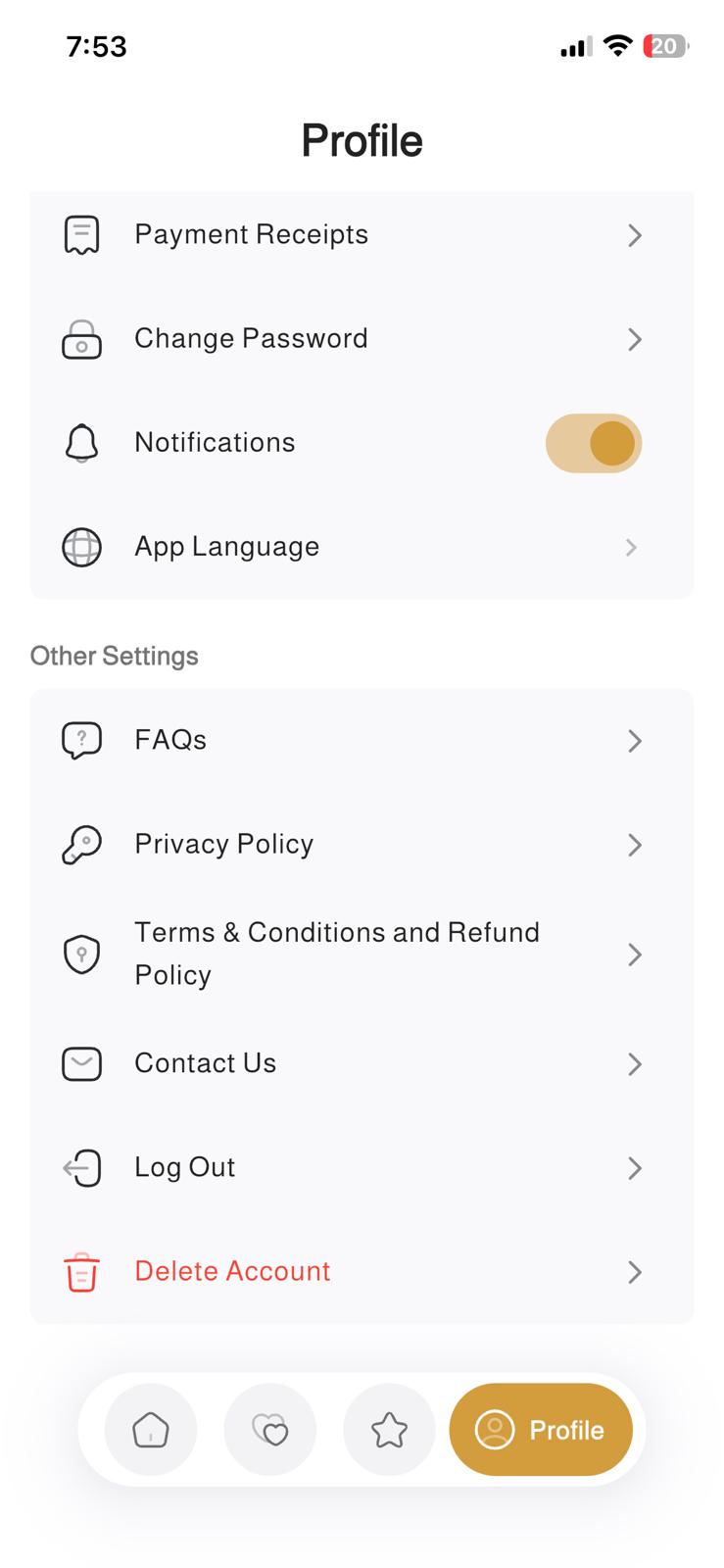
Scroll to Other Settings and tap Delete Account.
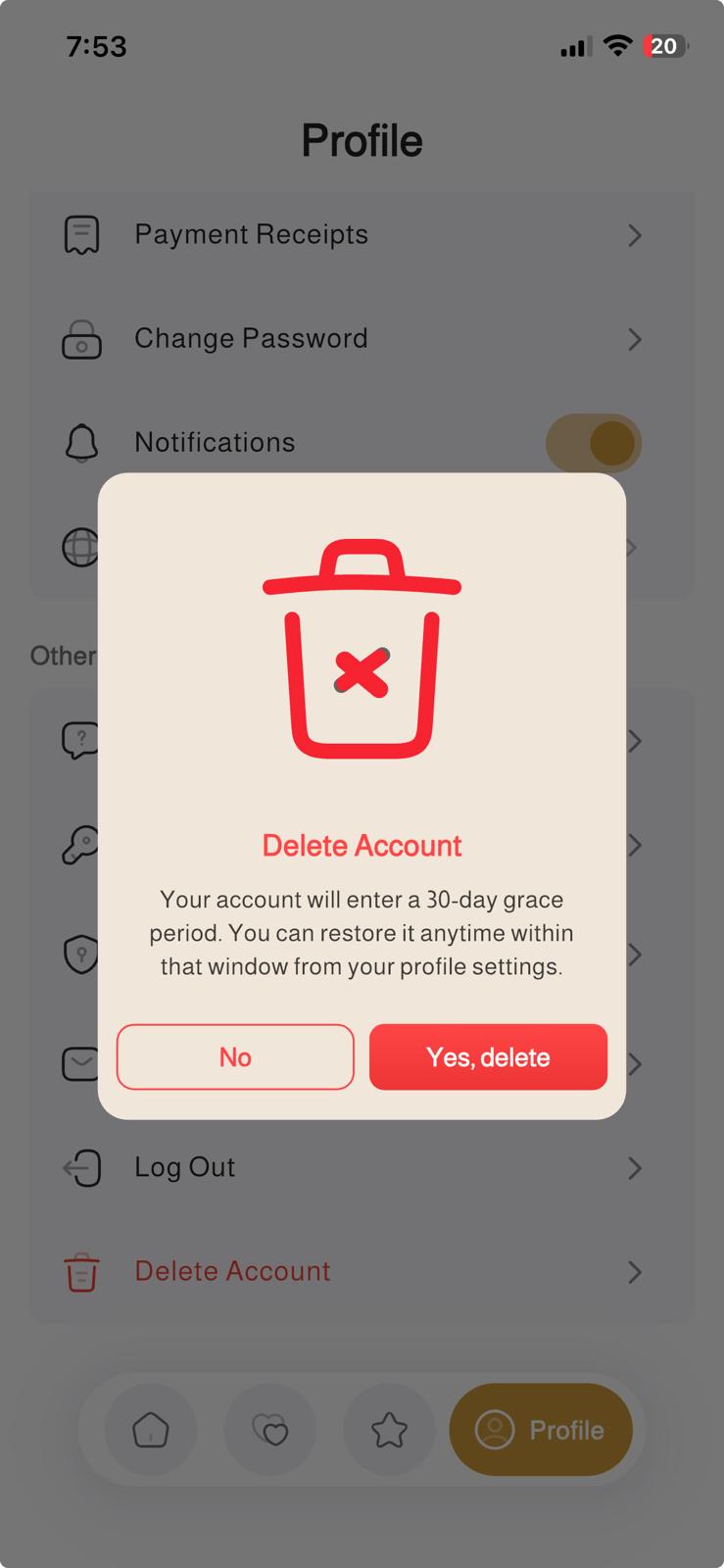
A confirmation message will appear. Tap Yes, delete to submit your account deletion request.
The screenshots below show the exact path to the deletion option and the confirmation screen.
Find “Delete Account” under Other Settings.
Confirm your request by tapping “Yes, delete”.
After you confirm deletion in the app, your account enters a 30-day grace period. During this period, you can restore your account from your profile settings.
Once the grace period ends, your Zawaj Bridge account and associated account data are deleted in accordance with our Privacy Policy. Certain limited records may be retained where required or permitted for legal, regulatory, fraud-prevention, safety, dispute-resolution, accounting, security, or operational purposes.